
Here, we are creating a classical newspaper using tkinter Python which we read at home daily. We are using the Tkinter module for GUI purposes and will show text and images to tell any news to the header.
SOURCE CODE:
from tkinter import *
from PIL import ImageTk, Image
root = Tk()
root.title(“Newspaper”)
root.geometry(“1000×1000”)
def from_100(text1):
my_text = “”
for i in range(len(text1)):
my_text += text1[i]
if i != 0 and i % 100 == 0:
my_text += “\n”
return my_text
text = []
photo = []
for i in range(0, 3):
with open(f'{i + 1}.txt’) as f:
texts = f.read()
text.append(from_100(texts))
image = Image.open(f”{i + 1}.png”)
image = image.resize((255, 200), Image.ANTIALIAS)
photo.append(ImageTk.PhotoImage(image))
f0 = Frame(root, width=800, height=700)
Label(f0, text=”My Classical News Paper”, font=”lucida 33 bold”).pack()
f0.pack()
f1 = Frame(root, width=900, height=200, borderwidth=6, relief=SUNKEN)
Label(f1, text=text[0], padx=22, pady=22).pack(side=”left”)
Label(f1, image=photo[0], anchor=”e”).pack()
f1.pack(anchor=”w”)
f2 = Frame(root, width=900, height=200, pady=10, borderwidth=6, relief=SUNKEN)
Label(f2, text=text[1], padx=22, pady=22).pack(side=”left”)
Label(f2, image=photo[1], anchor=”e”).pack()
f2.pack(anchor=”w”)
f3 = Frame(root, width=900, height=200, borderwidth=6, relief=SUNKEN)
Label(f3, text=text[2], padx=22, pady=22).pack(side=”left”)
Label(f3, image=photo[2], anchor=”e”).pack()
f3.pack(anchor=”w”)
root.mainloop()
OUTPUT:
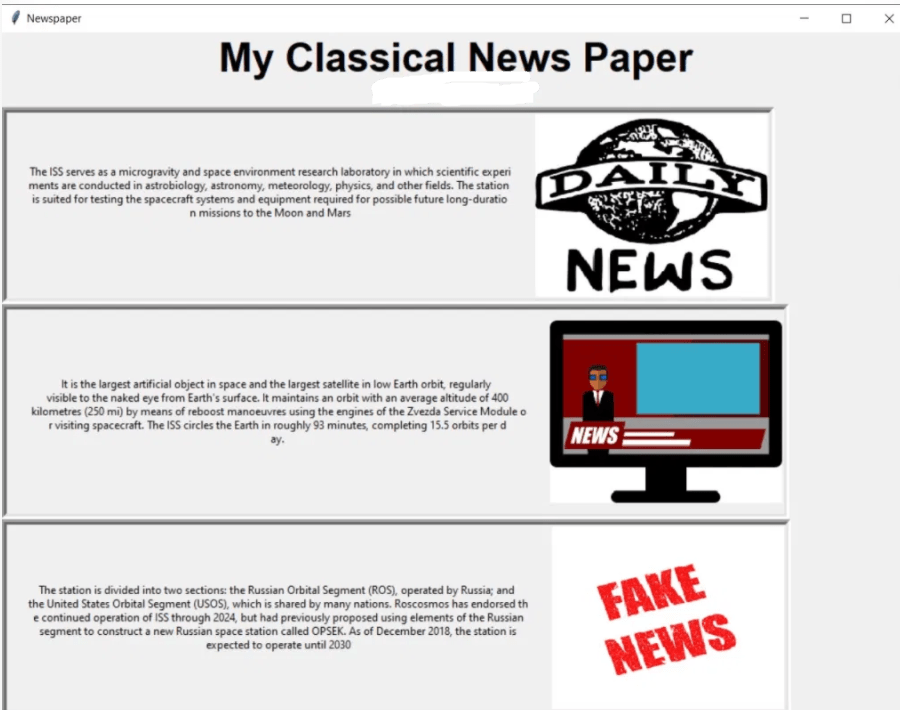
 TECHIE'S SCRIBBLING